See a picture become a pattern.
Three original illustrations, converted with Crosspic’s actual conversion and rendering functions. Use the settings below to try each one, then apply what you learn to your own picture.
A flower with an unstitched background
An original flat flower illustration converted to a small chart. Transparent pixels stay unstitched.
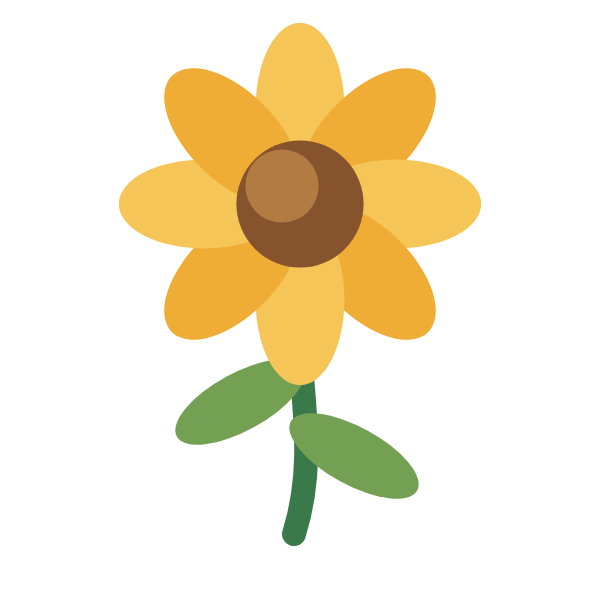
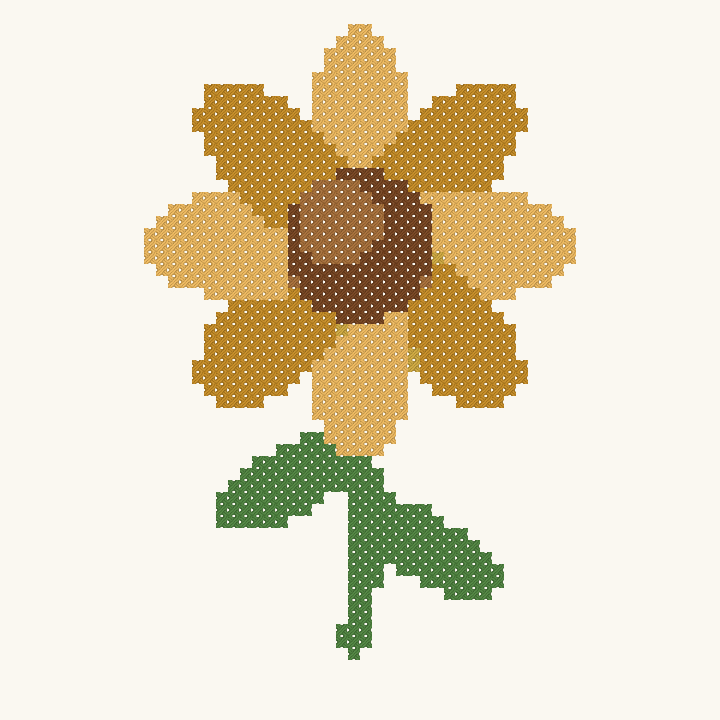
- Chart dimensions
- 60 × 60 stitches
- Occupied stitches
- 932
- Color setting → result
- Maximum 6 → 6 colors
- Finished rectangle
- 10.89 × 10.89 cm
14-count fabric, stitched over one; 2 strands recorded in the project. Finished dimensions exclude any allowance around the chart. Original crop proportions, 100% zoom, no rotation, full DMC reference palette, no manual color removal or replacement.
Reproduce this conversion
- Download the original source PNG, then choose it in Import image.
- Keep Original proportions, 100% zoom and no rotation; continue to Pattern size.
- Set width to 60 and height to 60 stitches; use 14-count fabric.
- In Colors & preview, set Maximum colors to 6. Keep all DMC colors available and do not remove or replace colors.
- Review the chart, open it in the editor, or export a PDF/PNG. Download the editable project to inspect this exact result.
Inspect the actual chart and thread key
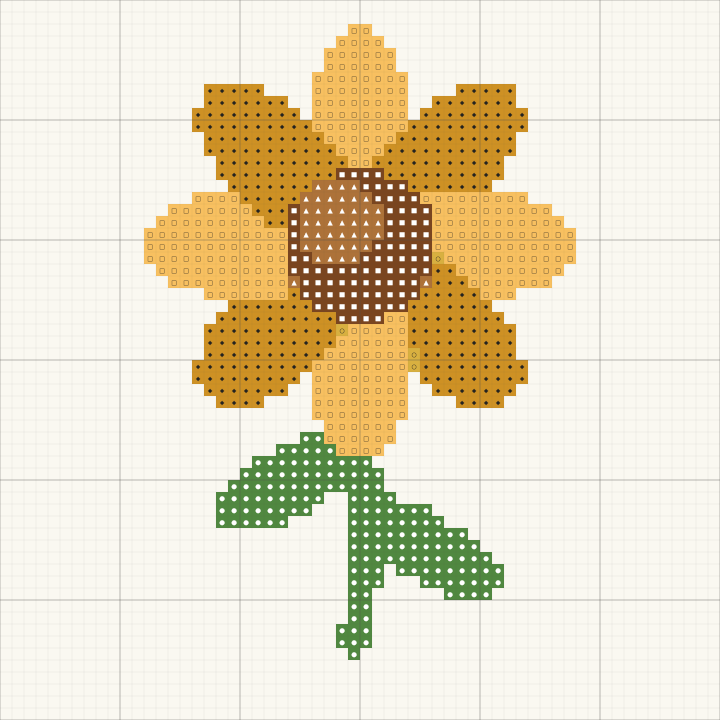
| Symbol | DMC | Reference name | Stitches |
|---|---|---|---|
| ● | 92 | Variegated Forest Green | 156 |
| ■ | 433 | Medium Brown | 85 |
| ▲ | 3826 | Golden Brown | 43 |
| ◆ | 783 | Medium Topaz | 330 |
| ○ | 114 | Variegated Goldenrod | 4 |
| □ | 3922 | Light Autumn Gold | 314 |
A landscape and its color tradeoff
An original landscape illustration with a fully stitched background. Compare the same image with two color limits.

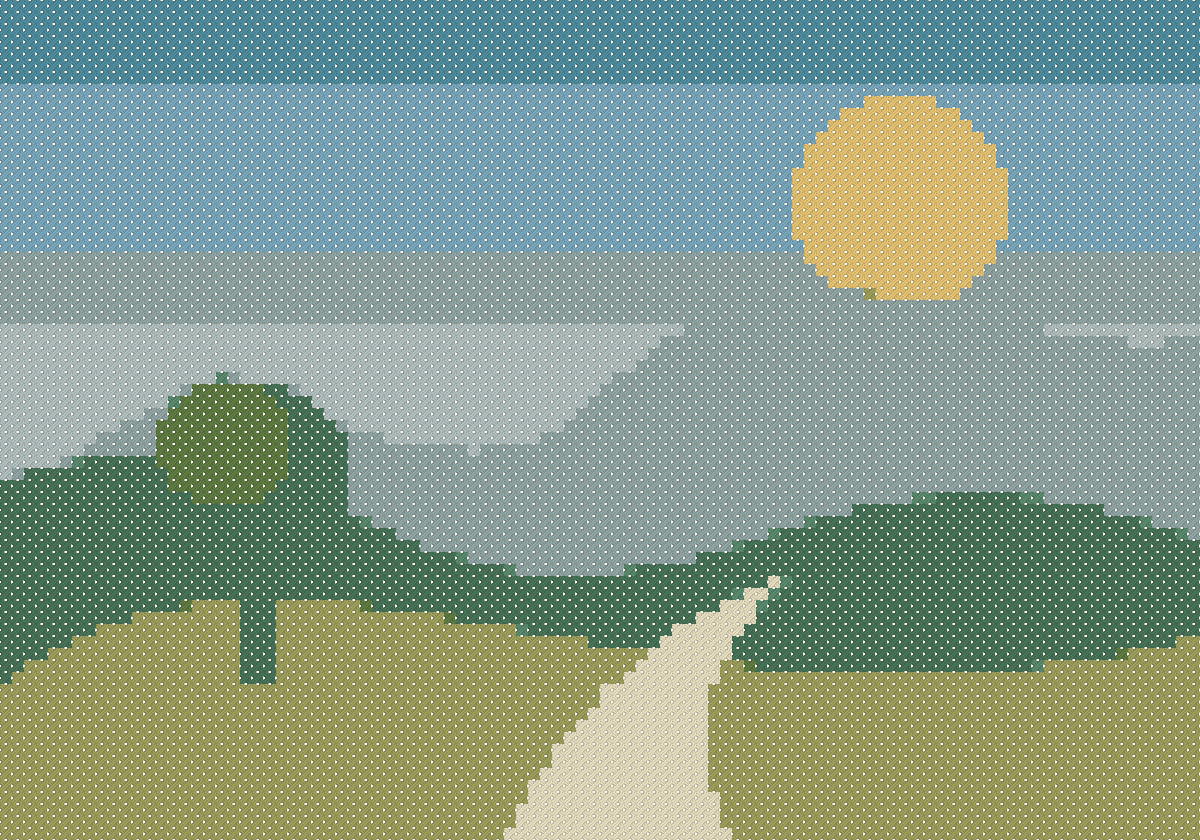
- Chart dimensions
- 100 × 70 stitches
- Occupied stitches
- 7,000
- Color setting → result
- Maximum 12 → 10 colors
- Finished rectangle
- 18.14 × 12.7 cm
14-count fabric, stitched over one; 2 strands recorded in the project. Finished dimensions exclude any allowance around the chart. Original crop proportions, 100% zoom, no rotation, full DMC reference palette, no manual color removal or replacement.
Reproduce this conversion
- Download the original source PNG, then choose it in Import image.
- Keep Original proportions, 100% zoom and no rotation; continue to Pattern size.
- Set width to 100 and height to 70 stitches; use 14-count fabric.
- In Colors & preview, set Maximum colors to 12. Keep all DMC colors available and do not remove or replace colors.
- Review the chart, open it in the editor, or export a PDF/PNG. Download the editable project to inspect this exact result.
Change one setting: fewer colors
The same 100 × 70 source conversion with a maximum of 6 colors uses 6 actual colors. Both charts contain 7,000 occupied stitches. The smaller palette groups more shades together; inspect the hills and sky before deciding which result suits your project.
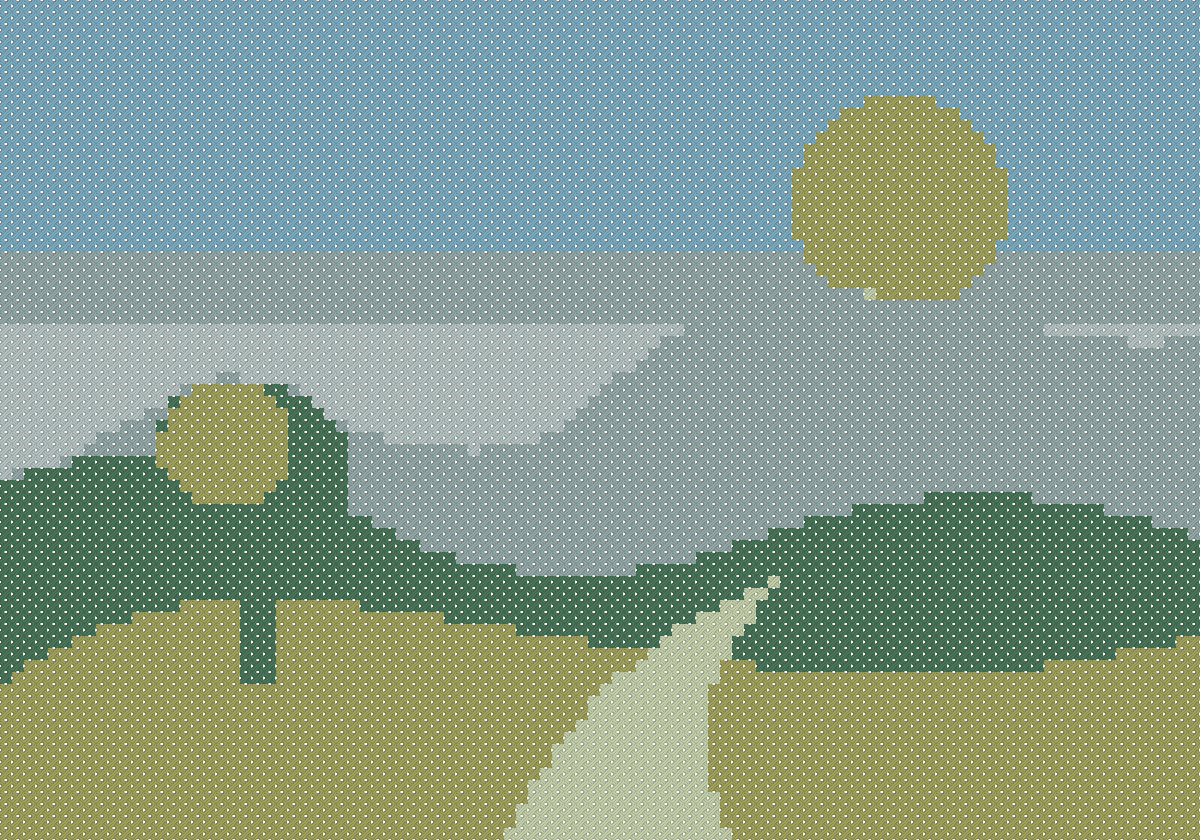
Inspect the actual chart and thread key
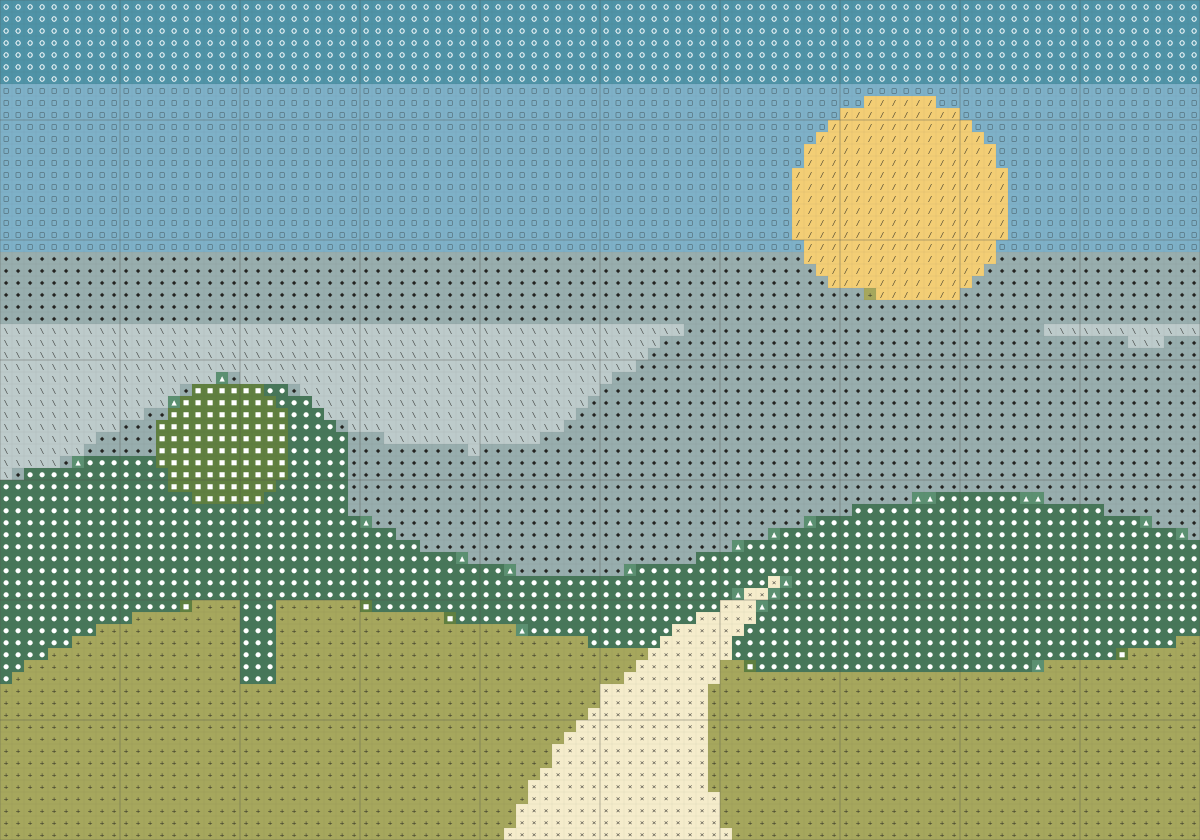
| Symbol | DMC | Reference name | Stitches |
|---|---|---|---|
| ● | 3815 | Dark Celadon Green | 1,047 |
| ■ | 122 | Variegated Grass Green | 98 |
| ▲ | 502 | Blue Green | 22 |
| ◆ | 926 | Medium Gray Green | 1,569 |
| ○ | 518 | Light Wedgwood | 700 |
| □ | 519 | Sky Blue | 1,202 |
| + | 3012 | Medium Khaki Green | 1,438 |
| × | 677 | Very Light Old Gold | 220 |
| / | 3821 | Straw | 247 |
| \ | 927 | Light Gray Green | 457 |
A small initial with crisp shapes
An original geometric letter A with a simple border. A 40-stitch chart makes a compact starting point for editing your own motif.

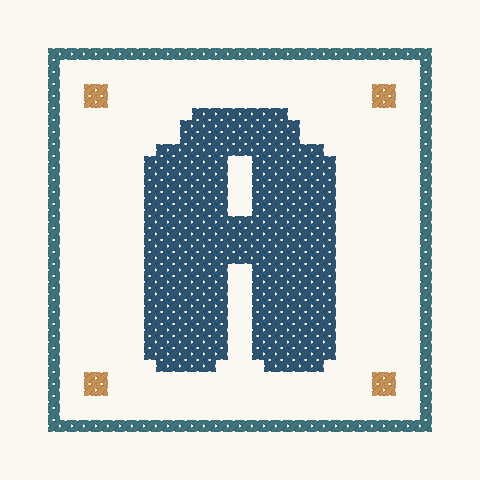
- Chart dimensions
- 40 × 40 stitches
- Occupied stitches
- 438
- Color setting → result
- Maximum 4 → 3 colors
- Finished rectangle
- 7.26 × 7.26 cm
14-count fabric, stitched over one; 2 strands recorded in the project. Finished dimensions exclude any allowance around the chart. Original crop proportions, 100% zoom, no rotation, full DMC reference palette, no manual color removal or replacement.
Reproduce this conversion
- Download the original source PNG, then choose it in Import image.
- Keep Original proportions, 100% zoom and no rotation; continue to Pattern size.
- Set width to 40 and height to 40 stitches; use 14-count fabric.
- In Colors & preview, set Maximum colors to 4. Keep all DMC colors available and do not remove or replace colors.
- Review the chart, open it in the editor, or export a PDF/PNG. Download the editable project to inspect this exact result.
Inspect the actual chart and thread key
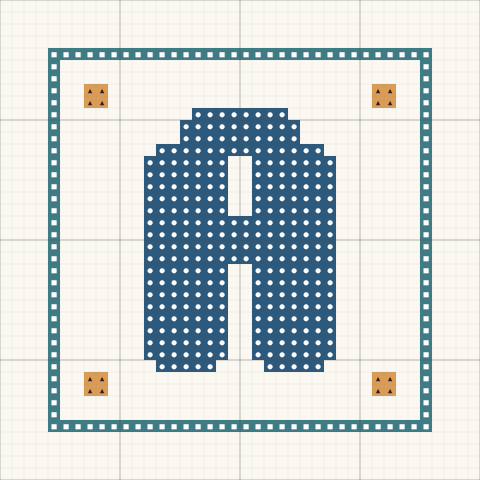
| Symbol | DMC | Reference name | Stitches |
|---|---|---|---|
| ● | 803 | Ultra Very Dark Baby Blue | 298 |
| ■ | 3809 | Very Dark Turquoise | 124 |
| ▲ | 977 | Light Golden Brown | 16 |
How these examples were made
The source images are original artwork drawn for these demonstrations. Each image was sampled at its stated stitch dimensions, converted with Crosspic’s DMC quantizer, and rendered with the same chart and stitch renderer used by the tool. All settings and counts come from the generated projects.
These are digital conversions, not photographs of finished embroidery. Browser image sampling can produce slightly different edge colors from the offline canvas used to prepare these examples. Import the provided .crosspic file through My saved patterns to inspect the exact result, then use Export to make a printable PDF.
The full reference palette can select variegated or specialty shades. A single digital swatch cannot show how those threads change along a strand. Check thread availability and a physical thread card, and use Change in the importer if you prefer a solid-color replacement.
You may use these original source illustrations and example charts for your own stitching and learning. For patterns made from other images, use artwork you own or have permission to use.
Make a pattern from your own picture