
Create Your Own Cross Stitch Pattern
Turn an idea into a pattern you can actually stitch. Draw your own motif, adapt a sample, or start with a favorite photo. Choose DMC colors, refine the details, and download a printable chart in Crosspic.
Free to create and export · No account needed · Works in your browser
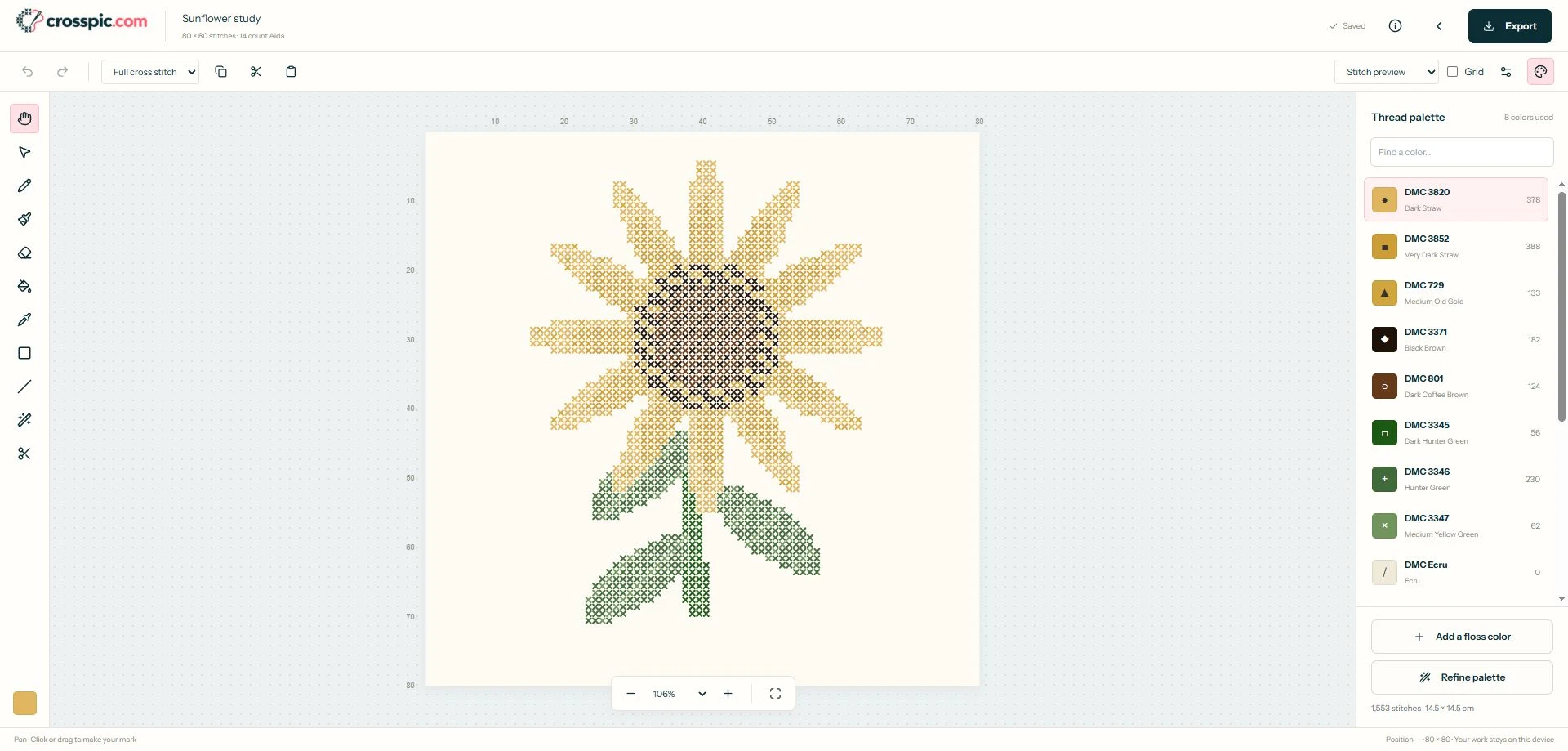
Choose how to make your own cross stitch pattern
I have an idea to draw
A small flower, geometric motif, or simple silhouette works well on a blank grid. Choose the stitch dimensions, then place the main shapes before adding details.
Start a blank design. For reusable borders and layouts, see the template and chart maker.
I have a photo or illustration
Use an image with a clear subject. A close crop leaves more of the grid for the details you care about. Preview the conversion before committing to a size or palette.
Import your image, or follow the photo conversion guide.
I want to experiment first
Open a sample and try changing a few colors or stitches. Use it to learn the controls, then start a blank project when you are ready to draw your own idea.
Edit the sunflower sample. For finished charts to stitch, browse free cross stitch patterns.
Plan a small personal design before you draw
For a first project, try a little flower for a gift tag. Use a 28 by 28 stitch grid and three colors: one for the petals, one for the center, and one for the stem. These are suggested starting settings, not a finished pattern.
Decide what should stand out
Draw the flower head first, then add a short stem and a leaf. Leave some cells empty around the motif so its shape is easy to read. You do not have to fill every square.
Check the stitched size
A 28 by 28 grid covers 2 by 2 inches on 14-count Aida when stitched over one square, or 5.08 by 5.08 cm. An unfilled border makes the motif itself smaller. Add extra fabric for finishing.
Make a variation
Try a different petal color or leaf shape. Look at the whole design after each change: a recognizable outline matters more than tiny details. Keep only the details that help the flower read clearly.
Need help placing your first stitches? Follow the blank-canvas walkthrough for the drawing workflow.
Design your own counted cross stitch pattern
The grid tells you where each stitch belongs. Use the pencil to place individual stitches, fill connected areas, and erase or undo changes as you refine the design.
Keep neighboring areas easy to distinguish. Start with a few DMC shades and review isolated stitches: some create useful detail, while others only add thread changes. The palette cleanup guide explains how to simplify a busy chart.
Finish with a chart you can stitch
Review the symbol view and floss key, then export a PDF in symbols, color, or both. Check the page preview and print a test page so you can read the symbols comfortably.
Save a separate .crosspic project backup for future edits. Your browser library is convenient, but it is not a permanent backup. Use the printing checklist before preparing your fabric and floss.
Questions about creating your own pattern
Can I create my own cross stitch pattern for free?
Yes. Crosspic lets you create, edit, and export patterns for free in your browser, without an account. Start with a blank grid, import an image, or open an editable sample.
Do I need a photo to make my own pattern?
No. A blank grid lets you draw a design one stitch at a time. Start with a simple shape and a few DMC colors. An editable sample is another way to learn the tools before drawing an original design.
Can I make my own cross stitch pattern from a photo?
Yes. Import your image, choose the stitch dimensions and color limit, and inspect the preview. Edit the resulting pattern to remove distracting details and adjust colors before exporting.
Does Crosspic send me a cross stitch kit?
No. Crosspic creates digital patterns and printable charts. You supply the fabric, floss, needle, and other stitching materials; the PDF floss key helps you prepare your thread colors.
How do I keep my pattern editable?
Use Export project to save a .crosspic file, and restore it with Open project in My patterns. Projects are also saved in the current browser, but clearing browser data can remove them. A PDF is for stitching and does not replace an editable project backup.
Give your idea its first stitch.
Start small, choose your colors, and make something personal.
Create my pattern for freeAlready started? Return to My patterns.