
Free Cross Stitch Chart Maker
Draw your own counted cross-stitch design on a blank grid. Choose DMC colors, edit individual stitches, and turn your design into a printable chart with a floss key.
Free to create and export · No account needed · Browser-based editor
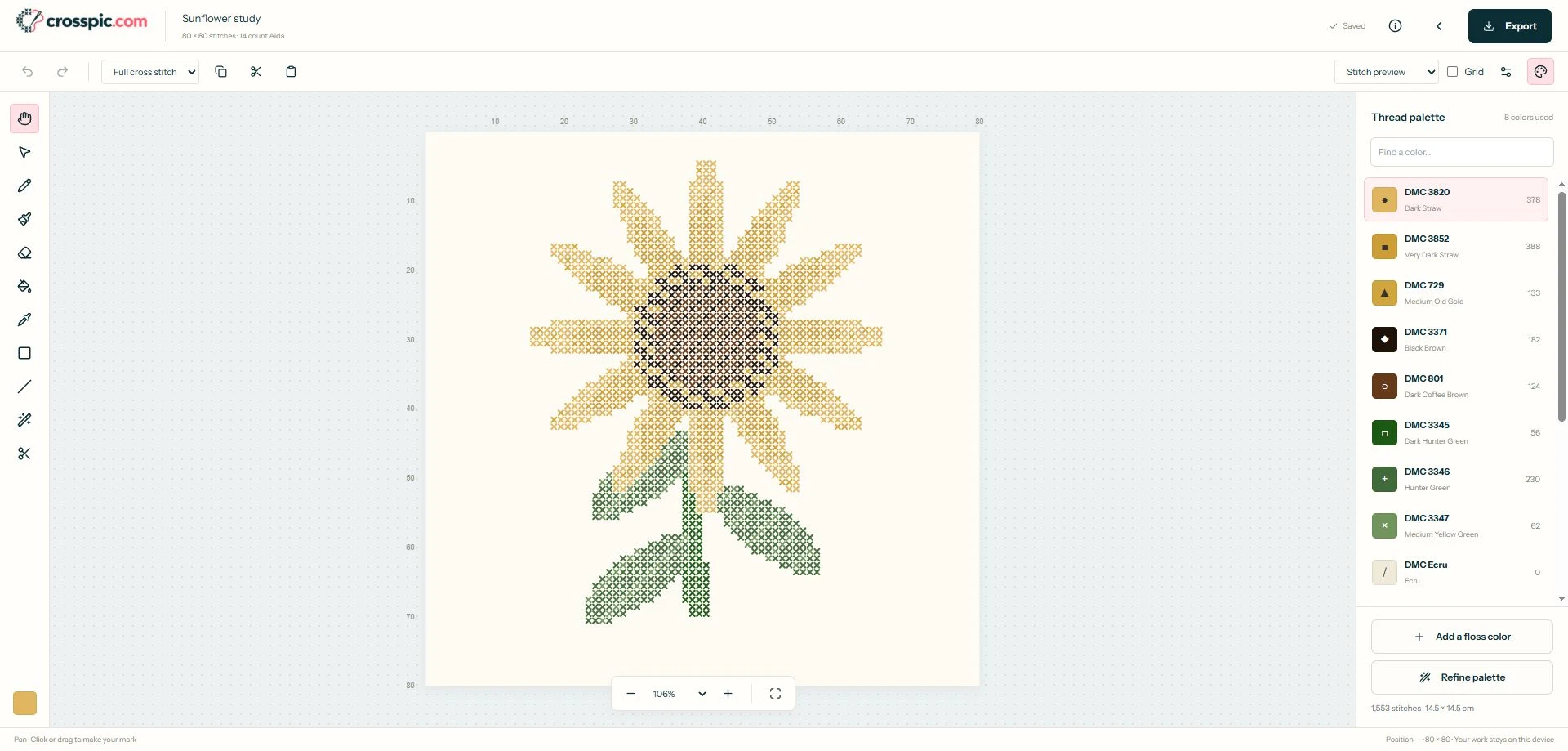
How to make your own cross-stitch chart
Set up the grid
Create a blank pattern, name it, and choose its width, height, and fabric count. Try a 30 × 30 grid for a small motif while you learn the controls.
Draw and refine
Choose a DMC shade and draw with the pencil or brush. Fill areas, erase mistakes, and use selection to copy parts of the design. Start with a few colors and full crosses.
Check and export
Switch to symbols or colors + symbols to inspect the chart. Export a printable PDF, then save a separate
.crosspicbackup for future edits.
Choose stitch dimensions before drawing
Grid dimensions describe stitch positions, not inches. A 70 × 70 chart stitched over one square on 14-count Aida measures 5 × 5 inches (12.7 × 12.7 cm). Add fabric margins separately for finishing.
The blank pattern creator shows finished size for your chosen fabric count and accepts grids up to 500 × 500 stitches. A small grid helps you judge whether a shape reads clearly before committing to a larger design.
Edit stitches and outlines
Use the pencil for individual cells, fill for larger areas, and the eyedropper to reuse a color already on the grid. Undo and redo let you compare changes as you work.
Add fractional stitches or draw backstitch between grid corners when a detail needs them. The tool and shortcut guide explains the controls; the first-pattern walkthrough starts with a simple blank canvas.
Build a practical DMC palette
Choose thread colors from the DMC palette. Replace a shade or merge similar colors to reduce thread changes, and check isolated stitches before removing them.
Screen colors are a guide, so compare physical floss for color-sensitive work. Follow the palette cleanup guide to simplify a busy design.
Make the chart readable on paper
Export PDF charts in color, symbols, or both. Adjust stitches per page, grid numbering, and page overlap, then inspect the preview and floss key. Print a test page to check symbol size.
PNG export provides a design image; a .crosspic file preserves the editable project. See the printing guide and chart-reading guide.
Starting with an image instead?
If you already have a photo or illustration, use the photo to cross-stitch pattern workflow to convert it before editing. For drawing from scratch, start with a blank chart or try the editable sample above. Open your pattern library to return to projects saved in this browser.
Cross-stitch chart maker questions
Can I make a chart without a photo?
Yes. Create a blank pattern, choose its width and height in stitches and fabric count, then draw directly on the grid. Blank patterns support up to 500 by 500 stitches.
Is the chart maker free?
Yes. Creating patterns, editing stitches, and exporting PDF, PNG, and editable project files are free. No account is required.
Can I use stitches other than full crosses?
Yes. The editor supports half, quarter, three-quarter, and petite stitches, French knots, and backstitch. Fractional stitches use fixed orientations; independently colored layered quadrants in one cell are not supported.
Can I print a chart with symbols?
Yes. Export a PDF with symbol, color, or combined charts and a floss key. Adjust the page layout and check the preview before printing.
Where are my charts saved?
Projects are saved in the current browser, without automatic device synchronization. Export a .crosspic backup to keep an editable copy or move it to another device. Clearing browser data can remove saved projects.
Put your first stitches on the grid.
Choose a small canvas, pick a few colors, and draw your own motif.
Create my chart